“AI agent” has become one of the most used, and least explained, phrases in business technology. Strip away the hype and an AI agent is a simple idea: software that can understand a request in plain language, look things up, and take steps in your systems to get a task done, within rules you set. This guide explains what that means in practice, where agents are genuinely useful today, where they are not, and how to run a first pilot without betting the business on it.
What is an AI agent?
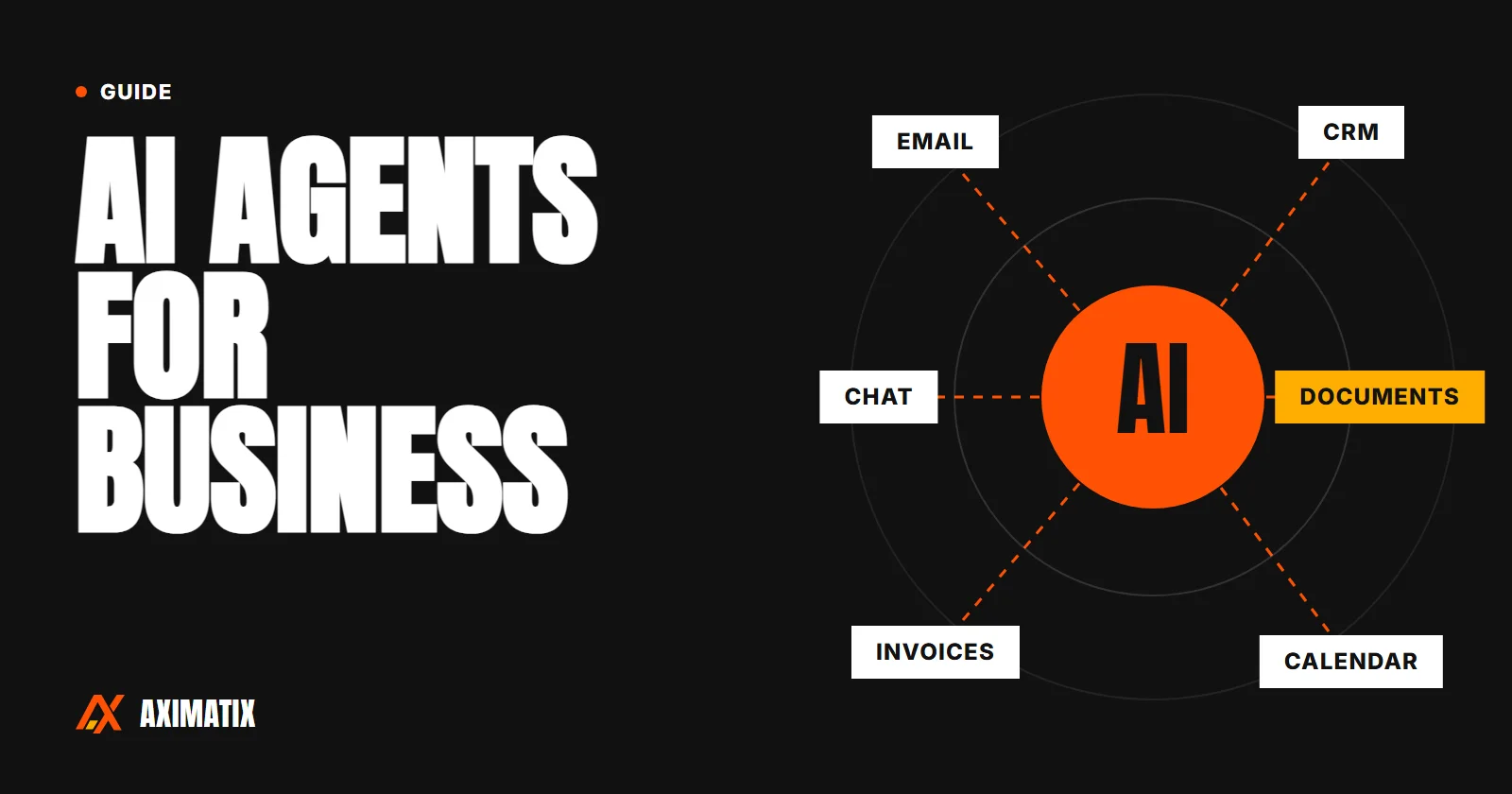
An AI agent is a program that uses a large language model to decide what to do next to complete a goal. Unlike a traditional program, it is not limited to a fixed sequence of steps. Given a request such as “find out why order 4821 hasn’t shipped and update the customer”, an agent can look up the order, check the warehouse system, read the latest notes, draft a reply and, if you allow it, send it.
AI agent vs chatbot vs automation
| Chatbot | Rule-based automation | AI agent | |
|---|---|---|---|
| What it does | Answers questions in a conversation | Runs the same fixed steps when triggered | Works out the steps to complete a goal and takes them |
| Handles messy input | Yes | No | Yes |
| Takes actions in your systems | Rarely | Yes | Yes |
| Predictability | Medium | Very high | Medium, improved with guardrails |
| Best for | FAQs, simple support | Data sync, notifications, approvals | Varied, text-heavy, multi-step tasks |
How an AI agent works
Almost every business agent is built from the same five parts:
- A language model that reads the request and decides what to do.
- Tools: controlled connections to your systems, such as “search orders”, “read this PDF”, “create a CRM note” or “draft an email”. The agent can only do what its tools allow.
- Instructions: your rules, tone of voice, policies and escalation criteria, written down.
- Knowledge: your own documents and data, usually made searchable so the agent can quote and link to the source rather than guess.
- Guardrails: limits on what it may do without approval, logging of every action, and checks on its output.
The quality of an agent depends far more on the tools, instructions and guardrails than on which model sits underneath. That is good news: it means most of the work is about understanding your process, which is where the value is.
Where AI agents help businesses today
Customer service
- Reading incoming emails and messages, working out what the customer wants, and routing them to the right person with a summary.
- Answering “where is my order?” and similar questions by checking the real order status rather than giving a generic reply.
- Drafting replies for an agent to approve, so a person stays responsible but spends seconds rather than minutes.
Operations and back office
- Extracting data from invoices, purchase orders and forms, and entering it into your accounting or ERP system, with anything uncertain sent for review.
- Chasing approvals and missing information, and keeping everyone updated.
- Preparing weekly reports by pulling figures from several systems and writing a short summary of what changed.
Sales
- Researching a lead before a call and writing a one-page brief.
- Updating the CRM after a meeting from the call notes.
- Drafting tailored follow-up emails and proposals from templates.
Internal knowledge
One of the most reliable uses: a search assistant over your own policies, manuals, contracts and past projects. Staff ask a question in plain language and get an answer drawn from your documents, with a link to the source so they can check it.
Examples by industry
- Healthcare: moving referrals and bookings between systems, and answering staff questions about procedures from approved documents. See software for healthcare.
- Manufacturing: reading supplier emails and updating expected delivery dates, or flagging stock that will run short. See software for manufacturers.
- Logistics: answering delivery-status questions from live tracking data and handling rebooking requests. See software for logistics.
- Restaurants: handling reservation and order questions, and summarising daily feedback. See software for restaurants.
When you don’t need an AI agent
Agents are not the answer to everything, and using one where a simpler tool would do adds cost and unpredictability. You probably don’t need an agent when:
- The task follows the same fixed rules every time. A standard workflow automation will be cheaper and more reliable.
- The input is already structured, such as a web form with dropdowns.
- A mistake would be costly and there is no practical way for a person to review the output.
- The volume is so low that doing it by hand takes a few minutes a week.
Often the best solution is a combination: rule-based automation for the predictable 80% of a process, and an AI step only for the part that involves reading, judging or writing.
How to start: a six-step pilot
- Pick one workflow. Choose something repetitive, measurable and annoying, such as triaging a shared inbox or entering invoice data.
- Measure today. How many items a week? How long does each take? How often are mistakes made? Without a baseline you cannot tell if the agent helps.
- Collect real examples. Gather 50 to 200 real cases, including the awkward ones. These become your test set.
- Build a narrow first version with only the tools it needs and a person approving every action.
- Test on your examples. Measure how often it gets the right answer, how often it correctly says “I’m not sure”, and how much time it saves.
- Decide with evidence. Roll it out, widen its permissions gradually, or stop. A pilot that shows an idea isn’t worth pursuing has still saved you money.
Risks and how to manage them
- Wrong answers: ground the agent in your own documents, ask it to cite sources, and route low-confidence cases to a person.
- Data privacy: agree how data is handled before work begins, and choose models and hosting that fit your requirements, including whether data may leave the country or be used for training.
- Too much access: give each tool the minimum permissions it needs. An agent that can only draft emails cannot send the wrong one.
- No audit trail: log every action the agent takes and why, so you can review and improve it.
- Running costs: model usage is billed per use. Estimate it on your real volumes before rolling out.
What an AI agent project costs
A focused pilot on one workflow is usually a matter of weeks, not months. In India, pilots commonly fall in the range of ₹3–12 lakh, depending on the number of systems involved and the review steps needed. Running costs depend on volume. Our software cost guide covers the factors in more detail.
How Aximatix builds AI agents
We start with the problem, not the technology. We test the idea on real examples from your business before building the full system, so you see how accurate it is, where it needs a person to check the result, and whether it is worth taking further. Sometimes the answer is a simpler automation, and we will say so. Read more about our AI and automation work, or book a free consultation to talk through a workflow you would like to improve.
Frequently asked questions
What is the difference between an AI agent and a chatbot?
A chatbot answers questions in a conversation. An AI agent can also take actions: it looks up information in your systems, follows your rules and completes multi-step tasks, such as updating a CRM record or drafting a reply for approval.
Are AI agents safe to use with company data?
They can be, if access is limited to what each task needs, data handling is agreed up front, and actions with real consequences go to a person for approval. Hosting and model choice should match your privacy requirements.
How long does an AI agent pilot take?
A focused pilot on one workflow typically takes a few weeks: enough time to collect real examples, build a first version, and measure how accurate it is before deciding whether to roll it out.
Do we need clean data before building an AI agent?
Not always. An early review shows what is usable now. Many agents work from documents, emails and existing systems as they are, and highlight where data needs fixing.